WAVScribe Viewer
Your first-stop WAV file inspector.
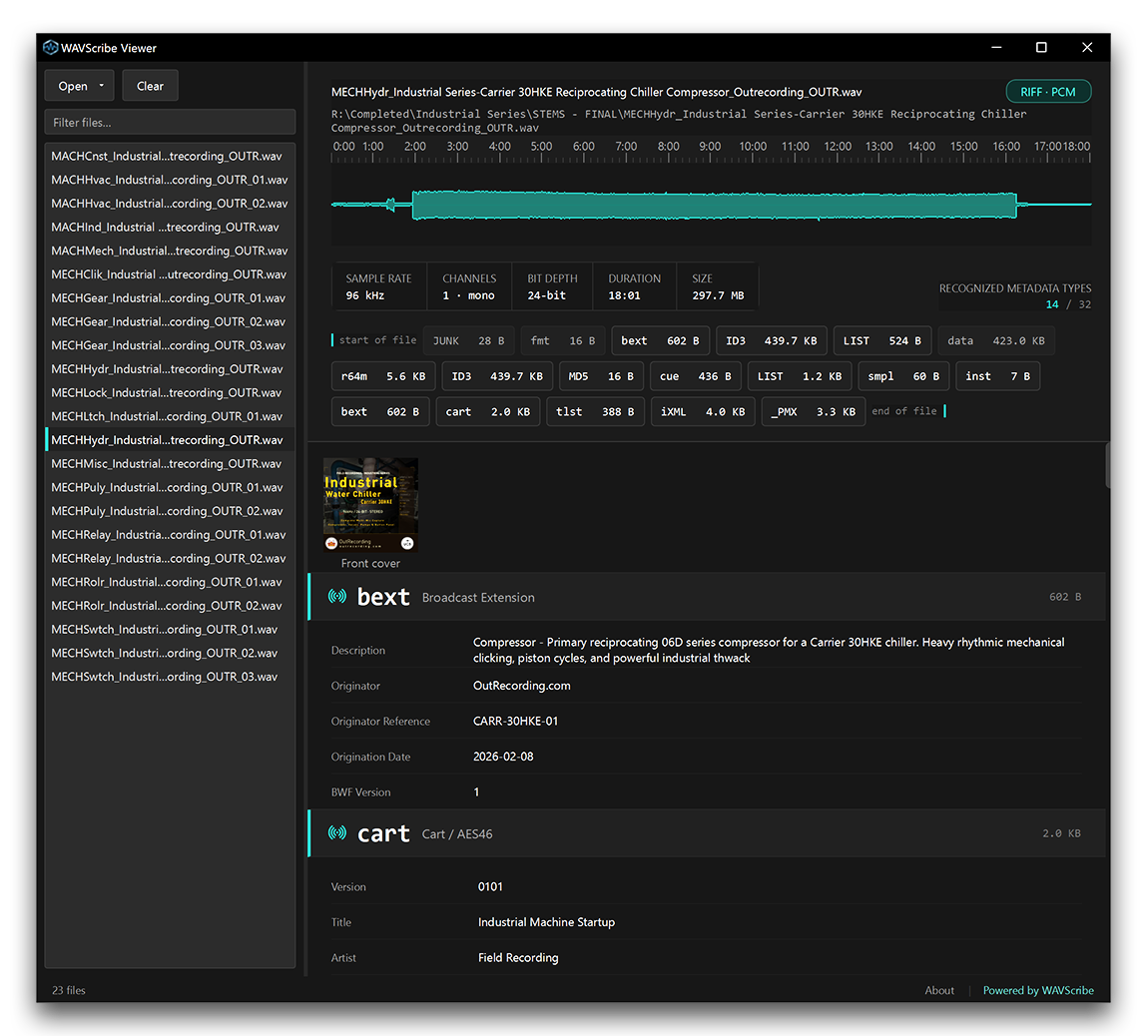
Verify the accuracy of your metadata without having to open a DAW or metadata editor. WAVScribe Viewer shows it all. Up to 32 metadata types are decoded into readable values from your WAV, RF64, or BW64 file. Embedded artwork, waveform, technical info, and a chunk-by-chunk map of the file itself are all exposed in the main window. WAVScribe Viewer is free to download. It is read-only, so you never have to worry about it altering your precious files.
Use it to verify what’s actually inside your files before sending them off to the next link in your workflow chain.
The Viewer shows you everything. WAVScribe lets you fix it.
Viewer never writes to your files
WAVScribe Viewer opens files read-only. It can’t write to your files because there is no write path in the code at all. In short, feel at ease opening any WAV file you’re working with, including customer files. ’Nuff said.
"WAVScribe Viewer opens files strictly read-only and never modifies them. It displays only publicly documented metadata standards. Any third-party metadata encountered is shown without interpretation."
Who it's for
- Production sound mixers and field recordists checking what a recorder actually wrote into a file
- Post-production teams checking what metadata is still there after an export
- Archivists and librarians inspecting broadcast metadata and stored checksums
- Game audio and music producers inspecting loop, sampler, and marker data
- Anyone who needs to know exactly what’s inside a WAV file
What it recognizes
When Viewer opens a file it will display all of the chunks that are present in that file. Up to 32 recognized metadata types are possible. If a chunk is not there, Viewer won’t show it.
| Type | What it carries |
|---|---|
bext | Broadcast Extension (EBU Tech 3285) - description, originator, origination date and time, time reference, UMID, the full loudness set (integrated, range, true peak, momentary, short-term), and coding history |
ubxt | Universal Broadcast Extension (ITU-R BS.1352-4), UTF-8 |
qlty | Quality chunk - file security codes and quality report |
levl | Peak Envelope (EBU Tech 3285 Supplement 3) |
link | File Link |
dbmd | Dolby Audio Metadata (EBU Tech 3285 Supplement 6) |
mext | MPEG Audio Extension (EBU Tech 3285 Supplement 1) |
cart | Cart chunk - AES46 radio traffic metadata |
MD5 | Audio-data checksum (FADGI convention) |
| Type | What it carries |
|---|---|
chna | Channel allocation (ITU-R BS.2088) |
axml | ADM XML |
bxml | ADM XML |
sxml | Serial ADM XML |
r64m | RF64 markers |
| Type | What it carries |
|---|---|
iXML | Production-sound XML (Gallery iXML specification) - core fields, speed, location, project, track list, and user fields |
iXML/ASWG | ASWG sub-namespace |
iXML/Steinberg | Steinberg sub-namespace |
_PMX | Adobe XMP (ISO 16684) |
| Type | What it carries |
|---|---|
LIST/INFO | RIFF tag list |
LIST/exif | Exif-audio list (CIPA DC-008-2012) |
ID3 | ID3v2 tags, including embedded artwork |
guan | GUANO tags - bioacoustics and bat-detector metadata |
| Type | What it carries |
|---|---|
cue | Cue markers - marker positions in the file |
| Cue labels | Cue annotations - labels, notes, and labeled text ranges attached to those markers |
smpl | Sampler data - loops, MIDI note, pitch |
inst | Instrument |
plst | Playlist |
acid | ACID tempo and key data |
strc | ACID slice map |
PEAK | Peak data |
| Type | What it carries |
|---|---|
CSET | Character set - code page, language, dialect |
DISP | Display - title text and embedded pictures |
Viewer also displays the technical facts of the file: format and codec, sample rate, number of channels, bit depth, duration, and file size. Also surfaced are fact and ds64 if present.
Any chunks Viewer doesn't decode are displayed and named for full transparency.
What do these chunks mean?
Follow the link to learn how to identify every chunk written within a WAV or Broadcast Wave file. You’ll find an explanation of what info each chunk carries and what specification or source defines it, if any. Lastly, you’ll learn about implementation details and common software mistakes.
Read the WAV Chunk Reference →What it does
Formats
WAV, RF64, BW64, and big-endian RIFX are supported.
Reading a file
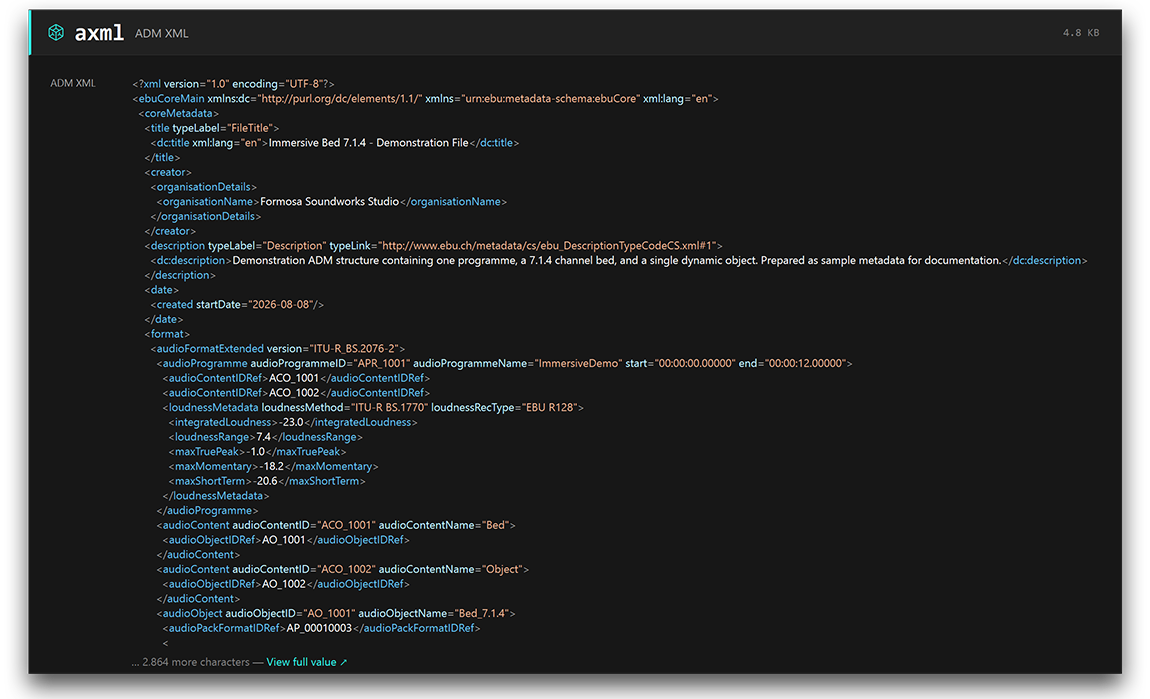
Every chunk present in the file is shown in an easy-to-read format. Scroll down section by section to view each chunk and its contents. A band showing the four-character chunk code, followed by its name and size identifies the start of that chunk. The contents are decoded to be meaningful. For example, loudness in LUFS, timecode from time references, UMIDs grouped on their SMPTE ST 330 boundaries, and dates and times formatted. Additionally, iXML and XMP are decoded into readable named fields rather than simply showing their raw markup. ADM documents, on the other hand, are displayed with syntax highlighting.
Seeing the file
A waveform is shown at the top of the window drawn at true amplitude. If a floating point file peaks above full scale, the view zooms out just enough to show the file’s true shape rather than showing the flat-top waveform.
All embedded artwork is displayed with its type labeled: front cover, back cover, artist, etc. If a picture is stored in a DISP chunk as Windows DIB data, it will be rendered as an image. Click any image thumbnail for a full size view.
File structure
A chunk map> shows every chunk in the file, in the exact order it appears in the file itself. It begins at “start of file” and ends at “end of file”. Click any highlighted chunk to quickly jump straight to its section.
Working with lots of files
Viewer accepts up to 100,000 files in a single drop. Import via drag and drop or the “Open” button above the files area. If a drive goes offline, its files stay in the list and Viewer won't freeze up. Once the drive is reconnected, just select the file again.
Finding files by chunk
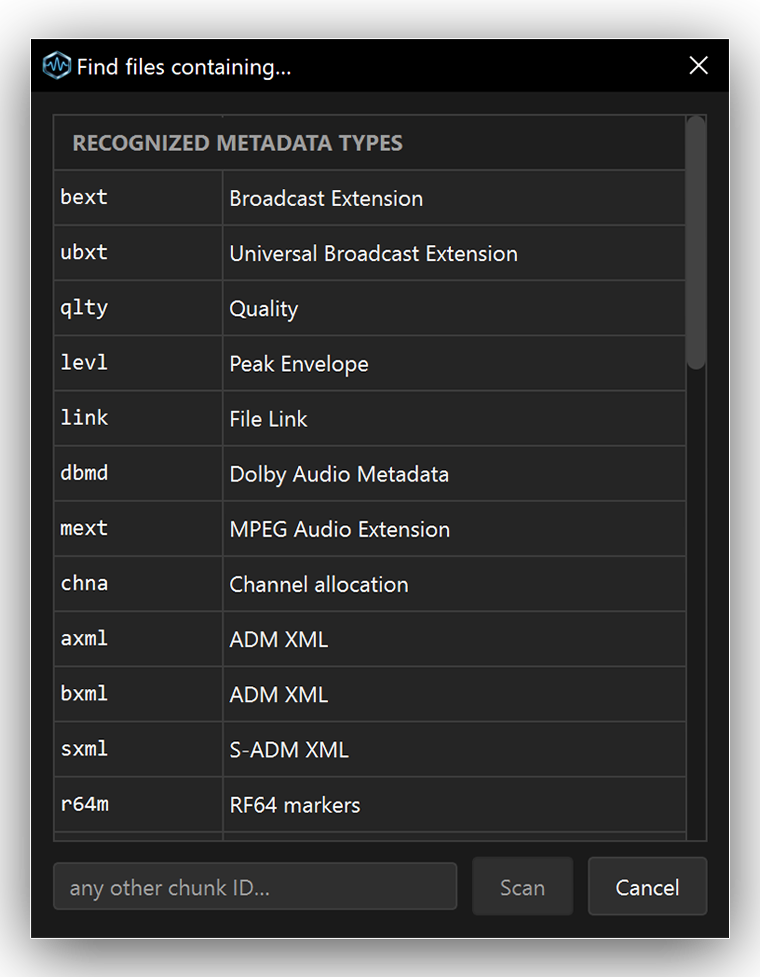
When you need to find a particular chunk in a few or thousands of your files, the Chunks button helps you find them. Click the Chunks button to browse the list of metadata types. Double click an entry or type the four-character chunk ID to filter only those files that contain that chunk. Vendor specific chunks are also included.
Getting started
- Drag a WAV file, folder, or mix of the two anywhere onto the window. Or click the “Open” button above the files area.
- Notice that every chunk in the file is represented as a labeled box in its physical order on disk, from the start of the file to the end of the file. Chunks shown in brighter text can be clicked to jump straight to their section below.
- Every embedded image in the file is shown as a thumbnail. Click one to open it to full size. If a file has identical copies of the same picture, only one picture will show with a count of how many are present.
- The coverage readout says something like “Recognized metadata types 7 / 32” which means the file has 7 of the 32 metadata types that WAVScribe Viewer can detect.
Download WAVScribe Viewer
Take it for free or pay what you want. If later you find it useful, please contribute to support further development.
Download for Windows
Windows 10 or Windows 11 · Installer · 29 MB
Viewer runs entirely on your computer and never connects to the internet.
The Viewer shows you everything. WAVScribe lets you fix it.
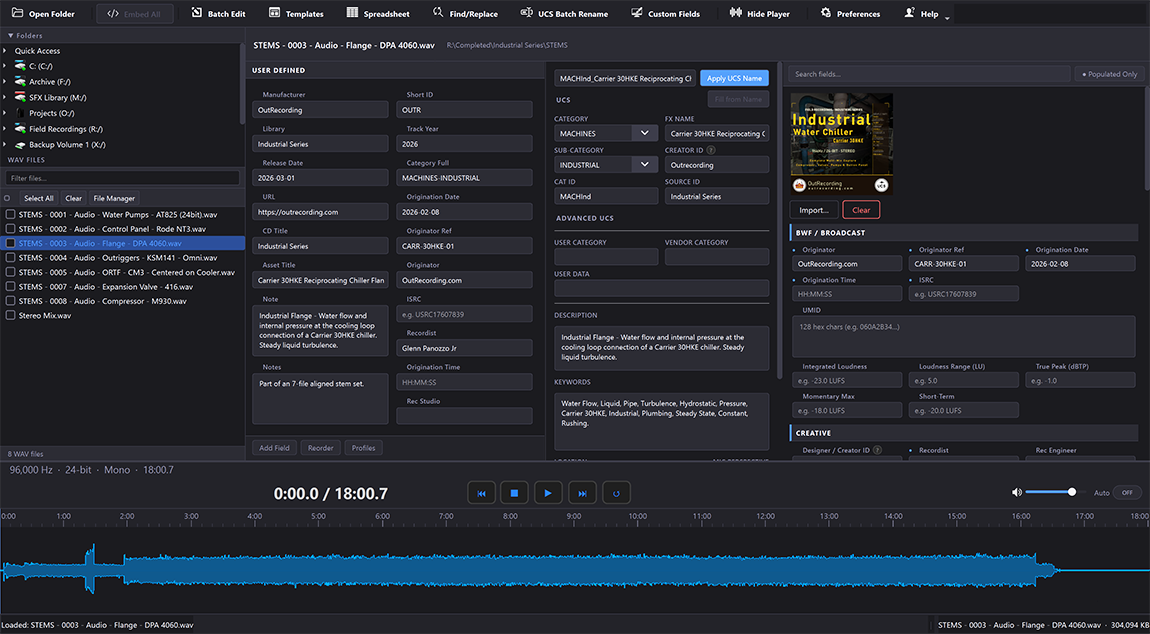
WAVScribe is the editor. It writes, repairs, and standardizes WAV metadata across large batches of files - batch operations, templates, spreadsheet round-trip, and full write support for BWF, iXML, XMP, LIST/INFO, and ID3 chunks.
 About WAVScribe →